1. Does this App help to manage each item invoice manage separately?
Ans - Yes, When the order split as per the items in the cart, at the backend each split order’s invoices, credit memo, etc can be managed easily.
2. Will the customer pay multiple times?
Ans - Payment will be made only once for a complete order amount, later the order splits as per the items in the cart.
3. How is the payment handled when we connect with a Payment Service Provider.
Ans - The payment is being taken before the order is split so the complete order amount is taken from the pay.
4. What is the difference between Split Order On Checkout Pro, Advanced Split Order On Checkout and split order by category?
Ans - Split Order On Checkout Pro app splits the order into different ID’s according to conditions set as per the assigned attribute at the backend.
Advanced Split Order On Checkout app splits the order into different IDs according to the assigned attribute as per different conditions. This extension also enables to the creation of various admin users with restricted roles.
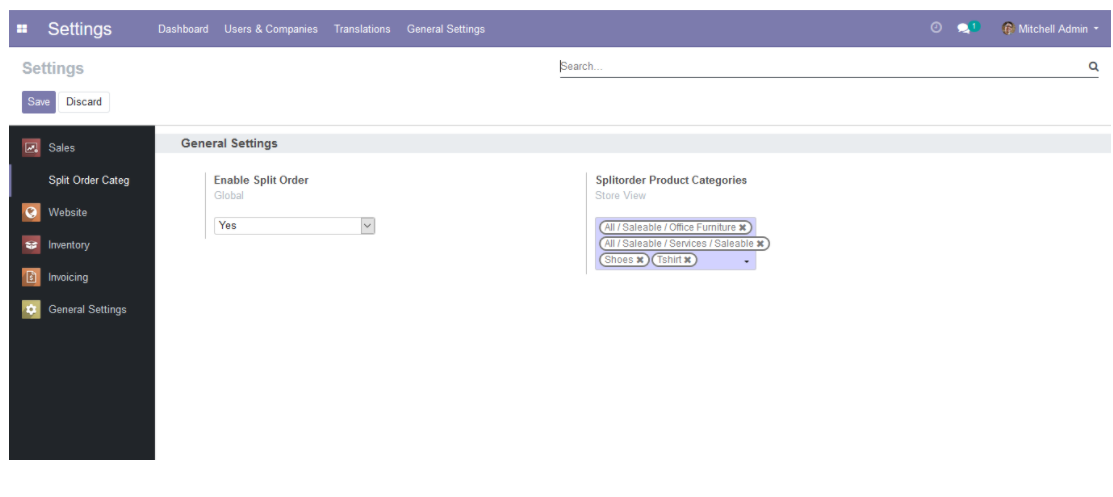
Split Order Based on Category to split the order into different orders based on the categories of products in that particular order.
5. Is this app compatible with the ODOO App version 13?
Ans - Yes, our App is compatible with ODOO App version 13.
6. Is it compatible with all payment gateways?
Ans -Currently, Our App is only compatible with Paypal payment gateways and offline payment methods.Like.Cash on delivery
7. Does the user make a one-time payment or is it multiple payments for the different orders created?
Ans - There is only one payment taken for all the items in the cart, once the order is placed it split into different IDs.
8. How will this category split work fine?
Ans - Category Based Splitting will only work if the product is assigned to a single category.
Reviews
There are no reviews yet.